
Year 6.
Done right.
Your school. Your designs. Your online store.
We make Year 6 Leavers ordering simple. Choose your designs, share your school’s private ordering link, and let parents order and pay online.
- No collecting money
- No chasing sizes
- No spreadsheets
We handle the orders.
You enjoy the moment.
ICON creates a dedicated online store for your school. Parents choose approved garments, select their sizes and pay online during the agreed ordering window. When ordering closes, ICON brings the paid orders together for production review and delivery.
- One school-specific store link to share
- Approved products, options and prices only
- Parents place and pay for their own order
- ICON consolidates the window after it closes
CLOSES 30 APR 2027
Your school. Your store.
A dedicated page for your school’s approved Leavers range.
Parents order directly.
Families choose their garment, size and approved personalisation.
Secure online payments.
Payments use the payment methods enabled in the authorised ICON store.
One ordering window.
Agree opening and closing dates, then consolidate paid orders.
Find your Leavers look.
Choose a starting direction. ICON will customise the colours, school identity and approved details with you before any garment goes on sale.
Illustrative starting directions only. Final artwork, garment construction, availability, sizing and price are confirmed with ICON.

Celebrate your Year 6 in style.
Pair a custom Leavers polo with a matching hoodie, then tailor the colours, school identity and approved back artwork to your graduating class.
Illustrative concept only. Final garments, artwork placement, class-list handling and pricing are confirmed with ICON.
Give the class of 2027 a signature.
Start with one of eight original directions. Select a style to carry it into the school enquiry preview, then ICON can adapt it to your colours and approved wording.
Original illustrative artwork directions. No real school logo, student name or class list is shown.
A complete range for your school.
Discuss the combination that suits your school. Only approved products are added to a live ordering window.
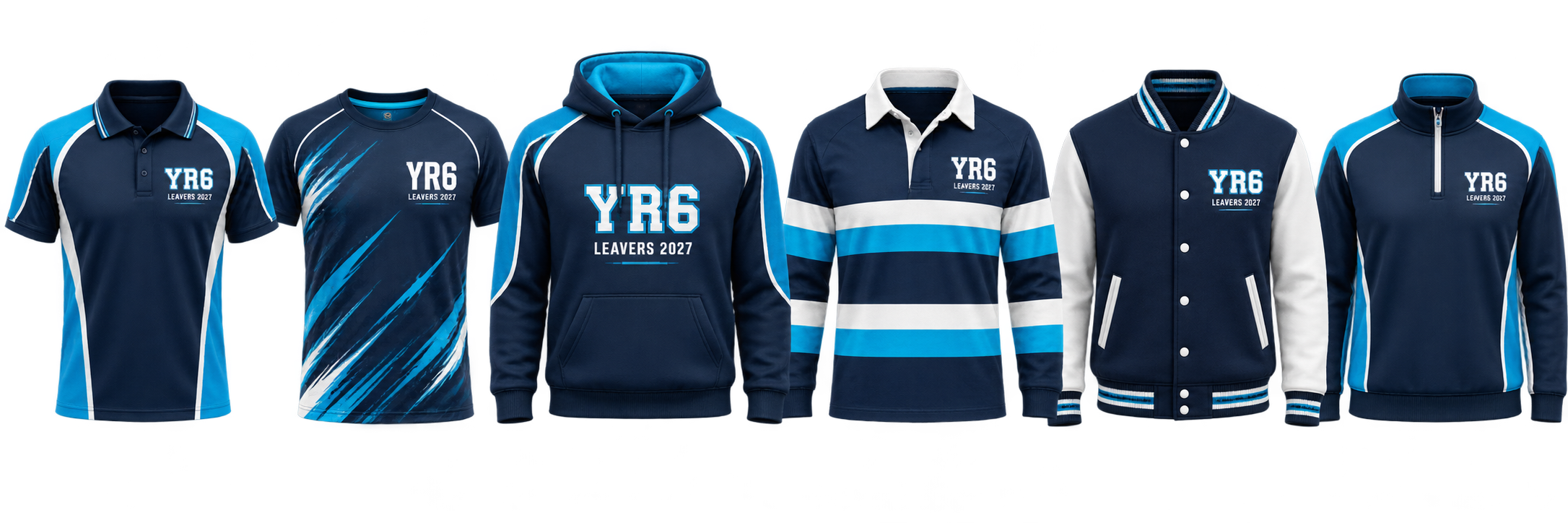
Make it their own.
From school colours to graduation artwork, every approved detail can be tailored to your school.
Do not upload student lists through the initial enquiry. Class-list handling is agreed separately through an authorised process.
Four easy steps.
Zero ordering headaches.
ICON handles the store and order administration. Your school approves the range, shares the link and distributes the completed garments.
Choose your design
Explore directions and share your school logo and colours.
We create your store
Once artwork, products, prices and dates are approved, ICON builds the window.
Parents order & pay
Families select sizes and permitted personalisation before the deadline.
We consolidate & deliver
ICON reviews paid orders for production and the agreed school delivery.
Clear status. Clear deadline.
Each approved store should move through a simple operating sequence managed by authorised ICON staff.
Ordering opens soon
Show the opening date. Products remain unavailable until ICON publishes them for the agreed window.
Orders now open
Show the closing date prominently and allow parents to order through the existing checkout.
Window closed
ICON manually disables purchasing and the school category at close until an automated server-side close is verified.
Simple for every parent.
This visual demonstration does not create an order or connect to a live payment flow. A real school store uses only approved products and prices.
Year 6 Leavers 2027
CLOSES 30 APRIL 2027
Demo only. A live store preserves each line item’s approved size and personalisation options, then uses the payment and delivery settings configured for that authorised ICON storefront.
Ready to order?
If your school already has an active store with ICON Sports, use the existing Club Zone directory to find it.
Only authorised published stores are listed. Draft concepts and upcoming school windows are not shown here.
Find your school store
Search the live ICON directory by organisation name, then open the approved store shown for your region.
Open store directoryReady to open your school’s online store?
Tell us about your school. We’ll help with the designs, confirm the commercial details and set up an approved ordering window that is simple for parents.
- No student class list required at enquiry stage
- School logo and garment details confirmed during setup
- Store dates, pricing and delivery confirmed before launch
This page is available by direct link for review. The final enquiry and ordering connection will be added before promotion.
School setup enquiries are coming next.
This direct-review page is now live. ICON will connect the approved enquiry and ordering workflow before the page is promoted.
Use the current school enquiry →Before your window opens.
Actual garment, artwork, pricing, timing and delivery terms are confirmed for each school.
How does your online ordering system work?
After the school approves its artwork, products, prices and dates, ICON creates a dedicated store. Parents use the link to choose approved items and place their own orders.
Does the school need to collect payments?
The intended model is for parents to pay through the authorised online store. The active payment options must be confirmed before the school link is released.
Can parents order individually?
Yes. Each family selects its own approved garments, size, quantity and permitted personalisation during the open window.
Can we choose our own opening and closing dates?
ICON agrees the dates with the school. Opening can be scheduled in Symphony; closing currently requires an authorised ICON staff check and manual disable unless automated closing is separately verified.
Can parents select their own sizes?
Yes, from the options configured for each approved garment. ICON confirms the garment-specific size chart; measurements are not assumed.
What happens when the ordering window closes?
ICON closes purchasing, filters paid non-cancelled orders for the school, exports the detail and reviews the consolidated quantities before production.
Can we customise the garment designs?
Yes. The gallery is a starting point. Final colours, logos and graduation artwork are reviewed and approved before products are published.
Can we add student names?
Where the school approves it and the product supports it, a limited name field can be added to that product. Unnecessary student information should not be collected.
Can we order multiple garment styles?
Yes, if those products are approved for the school’s store. Parents can add more than one garment to the existing ICON basket.
What if a parent misses the ordering deadline?
They should contact the school or ICON team. A late order is not guaranteed and must not bypass the closed window.
How are the garments delivered?
The intended default is consolidated delivery to the school for distribution. The exact method and any charge must be configured and communicated for that school.
How do we get started?
Select a design direction, complete the school enquiry and share your preferred garments, postcode and timing. ICON will confirm what can be offered before setup.